Internal · quote.and.engineering

Scope in, signed-ready PDF out.

The quoting tool replaces the spreadsheet-to-PDF chain. The engineer who scopes the project enters it once; pricing, review, and the client-ready document happen in the same place.
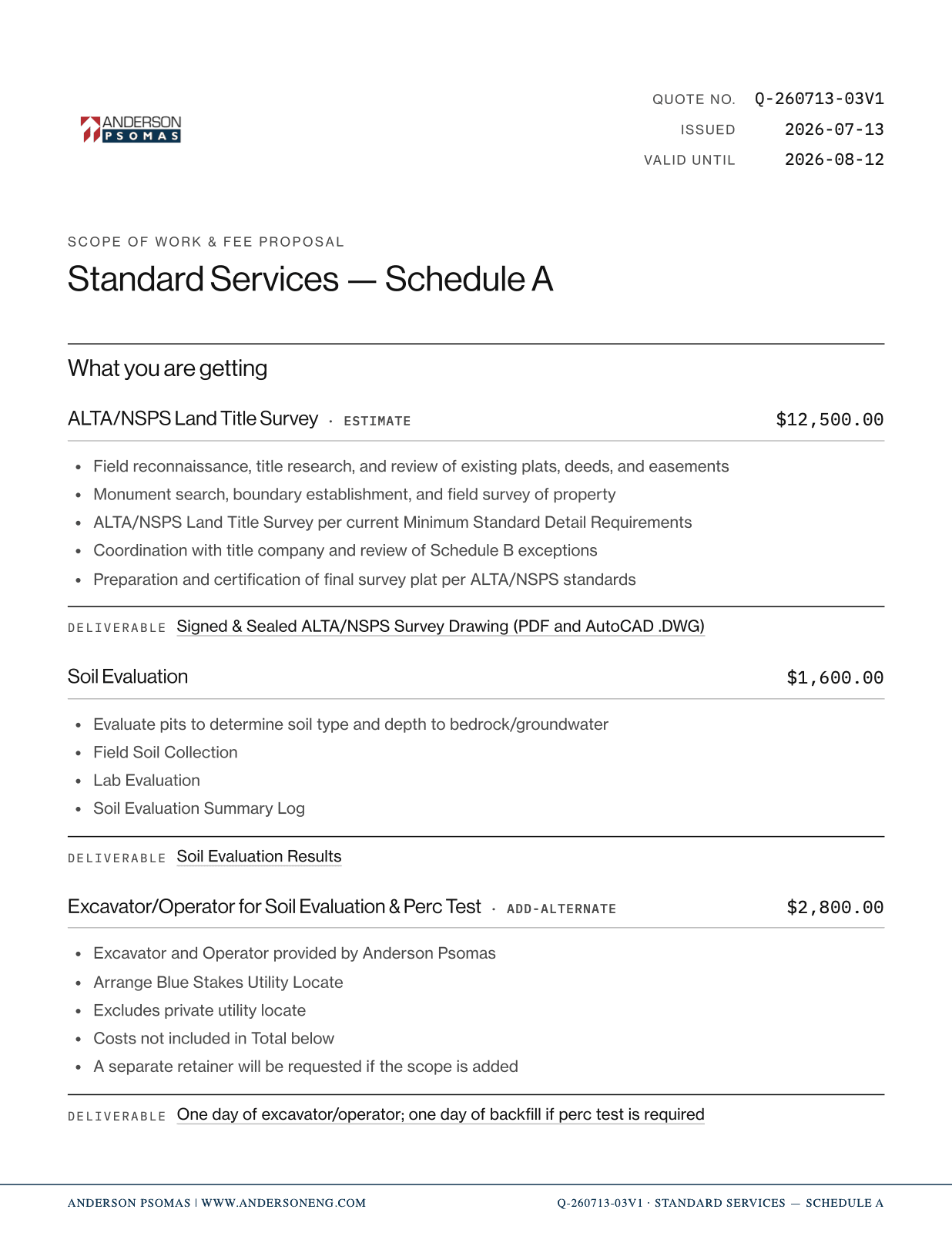
Page one of a client-ready SOW PDF generated by the tool
ONE SOURCE OF RECORD·4 HANDOFFS → 0·PDF FORMATS ITSELF

The current way, improved

§ 01 / 04
Before · manual4 TOOLS · 4 HANDOFFS
01
SpreadsheetFees keyed into a personal copy of the pricing workbook.
02
FormatNumbers pasted into a document, re-styled by hand.
03
Print PDFA static file — any correction restarts the chain.
04
Send PDFAttached to an email; the record lives in a sent folder.
Every arrow is a copy. Every copy is a place the fee, the scope line, or the client name drifts from the record.
Now · quote.and.engineering1 TOOL · 0 HANDOFFS

One record, from first scope line to the PDF the client opens. Nothing is retyped, reformatted, or re-attached.

PRICELine items priced from the firm's rate sheets — not last quarter's copy of the spreadsheet.
FORMATThe PDF is generated to the firm's document standard. Formatting is no longer a step.
RECORDEach quote carries its ID, revision, and status — findable later, by anyone.

How a quote is prepared

§ 02 / 04
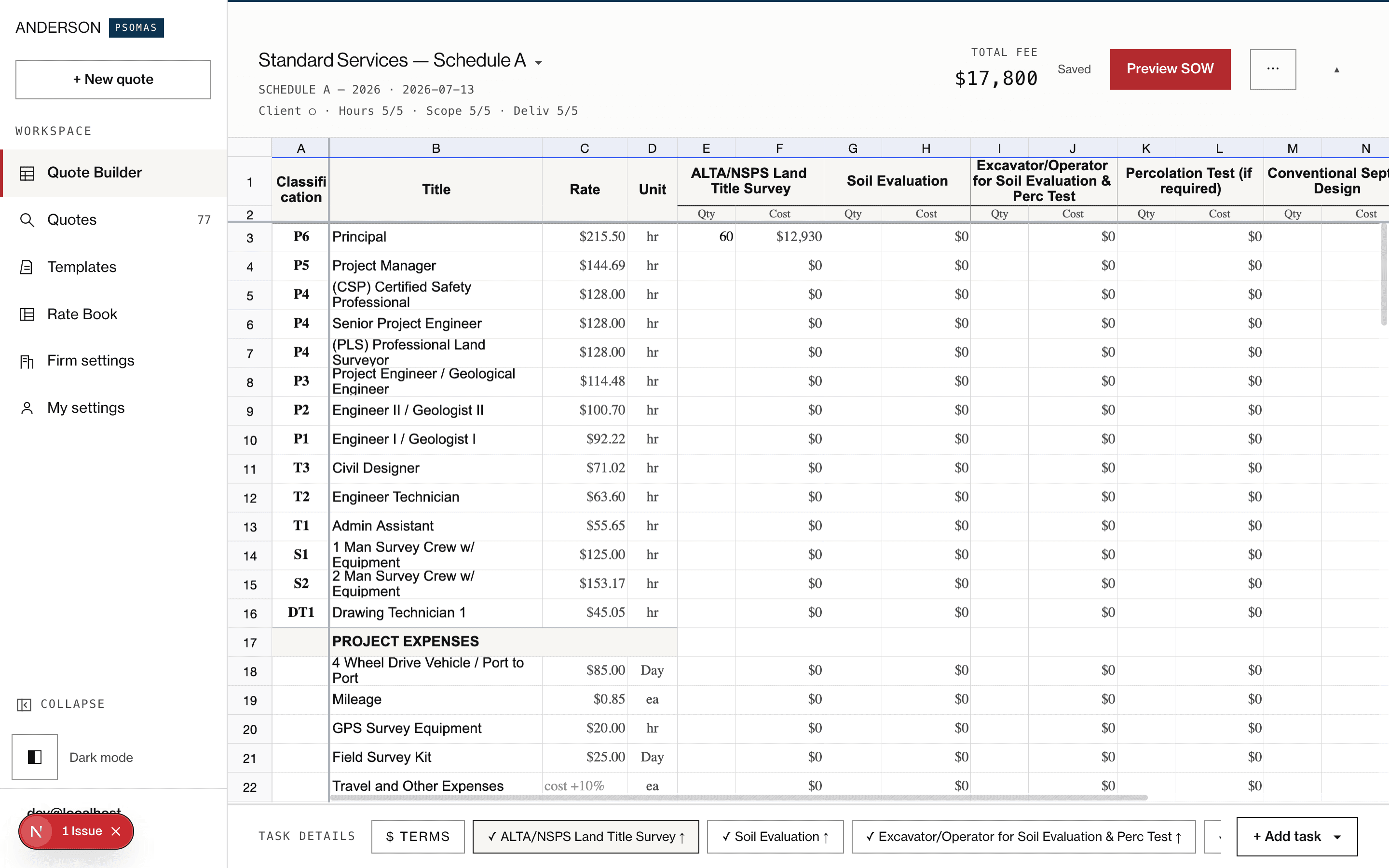
The pricing grid — scope tasks listed down the left01
Enter scope

The engineer who walked the site enters the scope — line by line, or from a saved template for repeat project types.

The pricing grid — rate and fee columns on the right02
Price it

Line items price against the governing rate sheet. The fee is a sum of scoped work, not a guess.
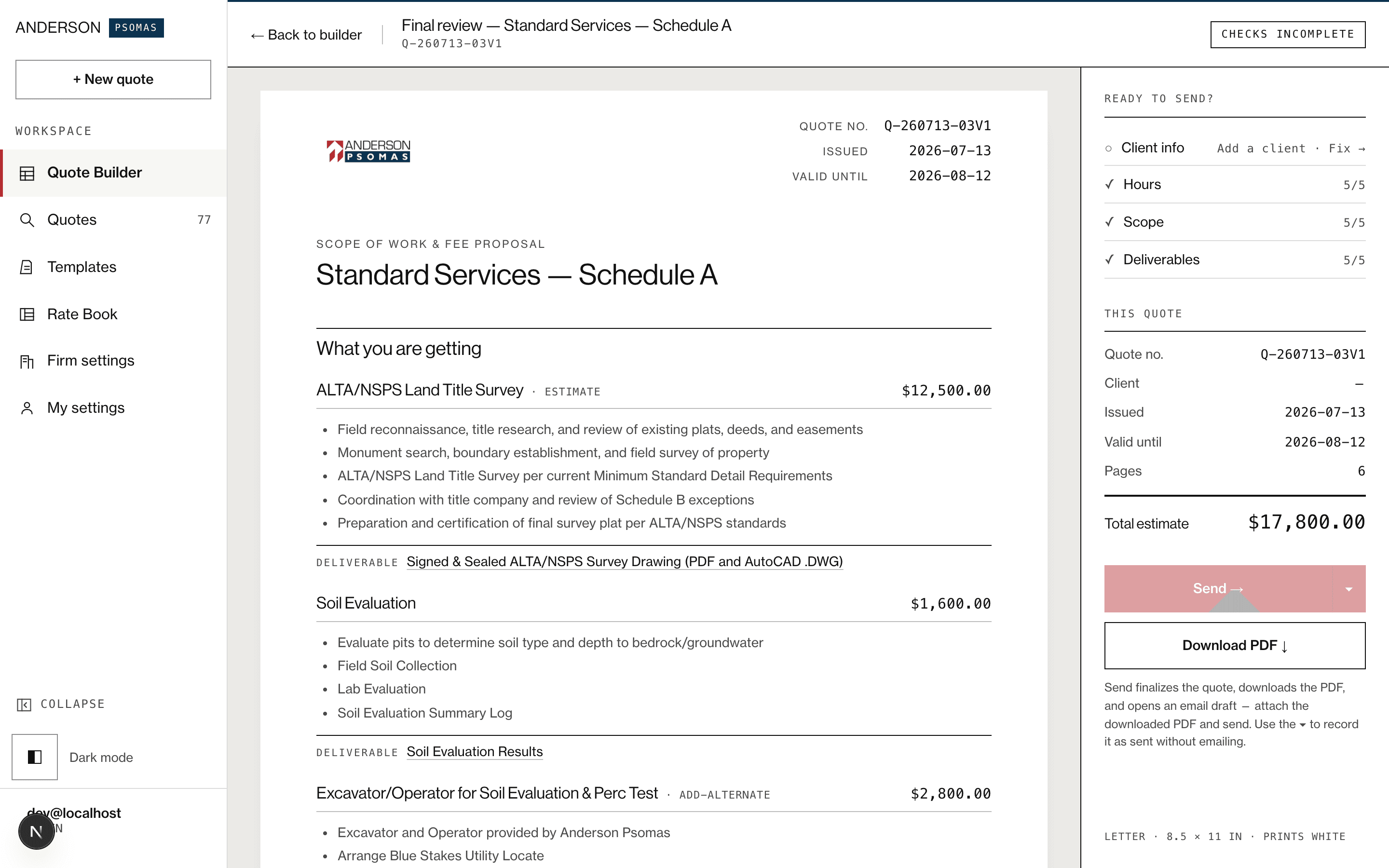
Final Review — the paged SOW preview with its rail03
Review

Scope, fee, and terms are checked on one screen before anything leaves the office.

Page one of a generated SOW PDF04
Download PDF

The client-ready PDF generates to the firm's document standard. No formatting step, no print dialog.

SCOPE → PRICE → REVIEW → PDF · one record, no re-entry

Built for repeat work

§ 03 / 04
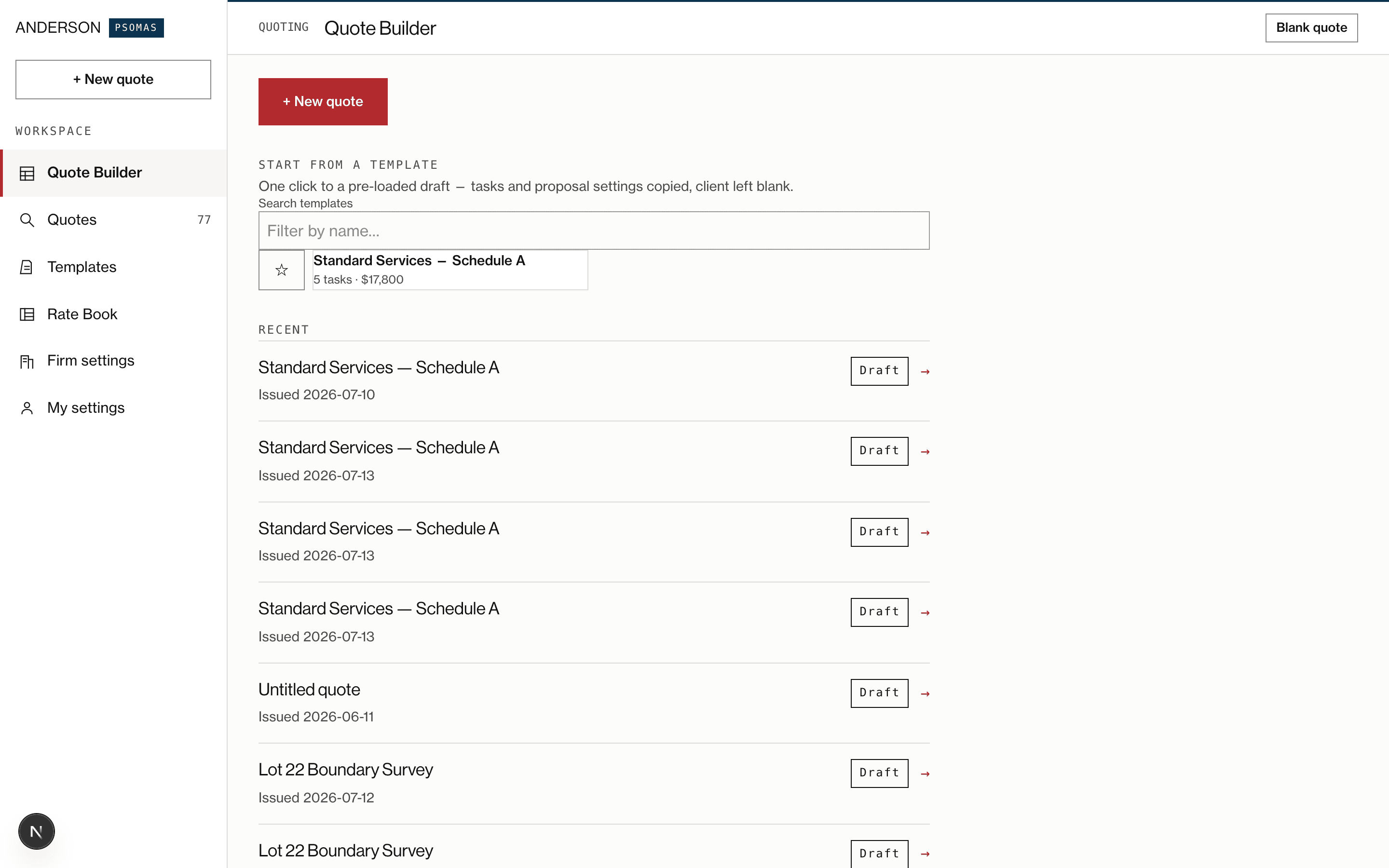
The Start-from-a-template grid with search
Custom templates

Repeat project types — septic evaluations, ALTA surveys, Phase I ESAs — start from a saved template: scope lines, exclusions, and terms pre-filled. Adjust what differs; the rest is already right.
START FROM TEMPLATE · EDIT · SEND
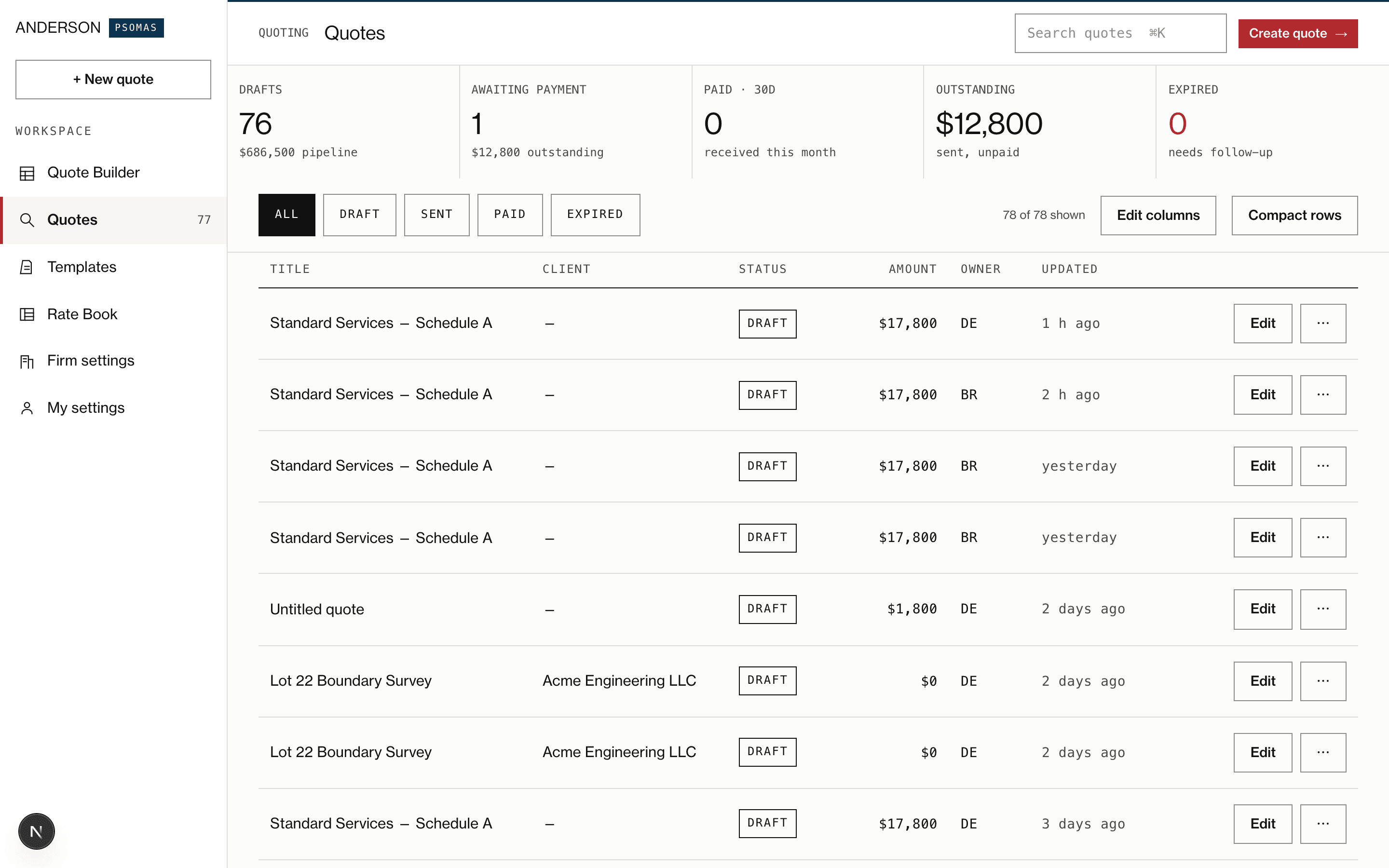
The quotes dashboard with rate KPIs
Multiple rate sheets

Maintain separate rate sheets — standard, municipal, negotiated master agreements — and pick the one that governs the job. Every line item prices from the sheet on record, not from memory.

ONE SHEET PER AGREEMENT · ALWAYS CURRENT

Change orders from the field

§ 04 / 04

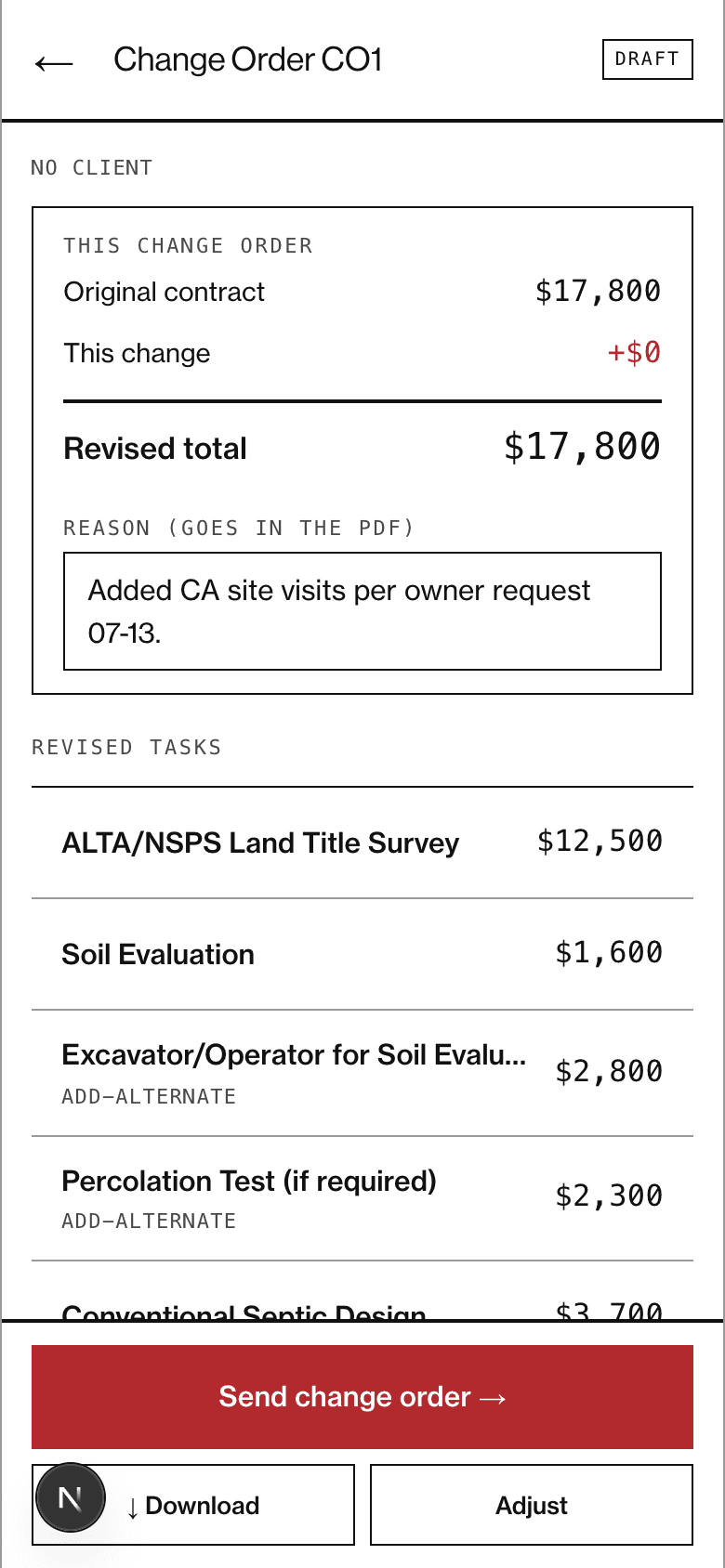
Scope changes on the site, not at a desk. An estimator standing on the job can recall a sent quote from their phone and issue the change order before leaving — screens built for sunlight, with high contrast and thumb-sized targets.
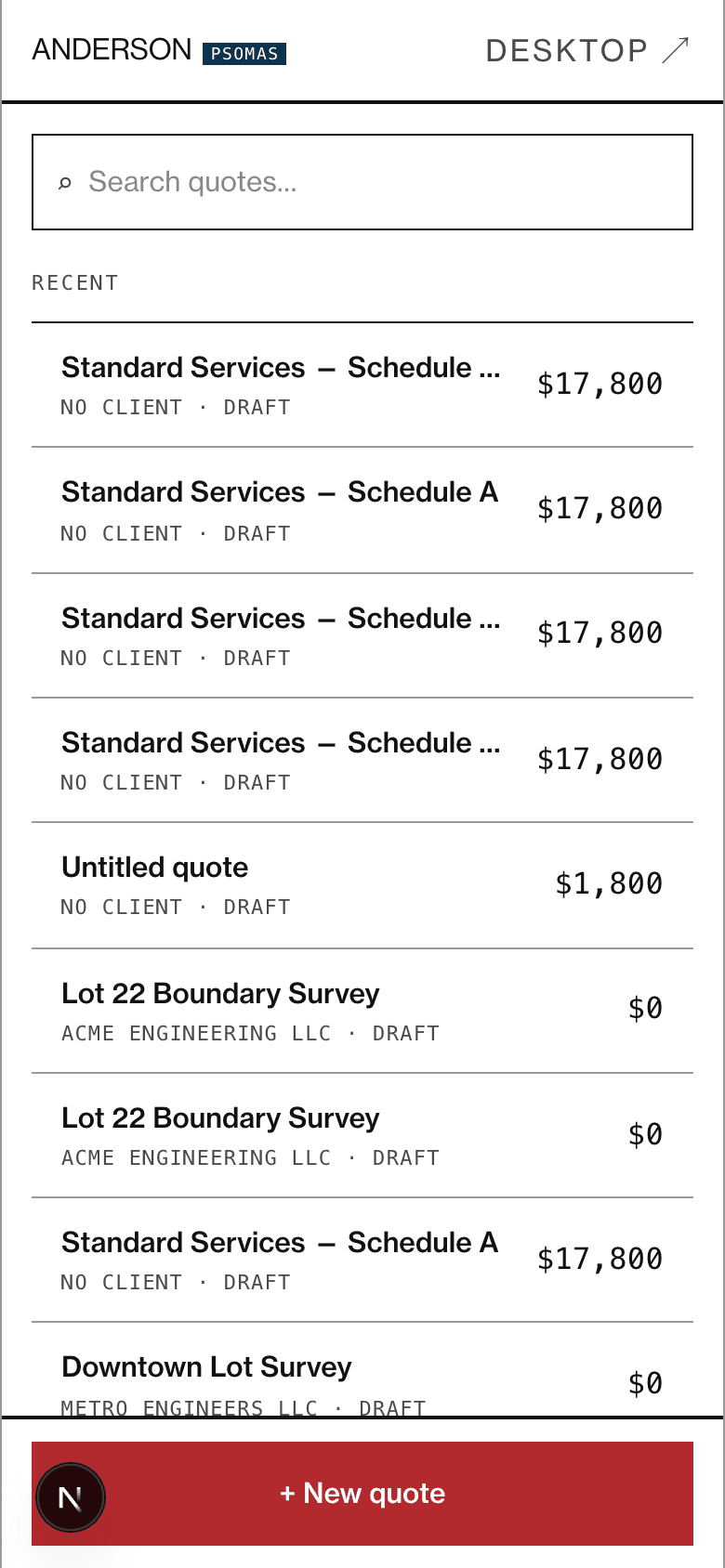
SITERecall any sent quote in the field. No laptop, no re-keying back at the office.
HOURSAdjust hours line by line against what the work took. The same engine as the desktop reprices the total live, from the governing rate sheet.
SENDIssue a signed-ready change order that carries the quote's ID, revision, and status.
RECALL → ADJUST HOURS → SEND · SAME ENGINE AS DESKTOP
Phone home screen — recall a sent quote in the field
Phone quote view — adjust hours and send a change order